 Cover Letter AI & Resume Maker
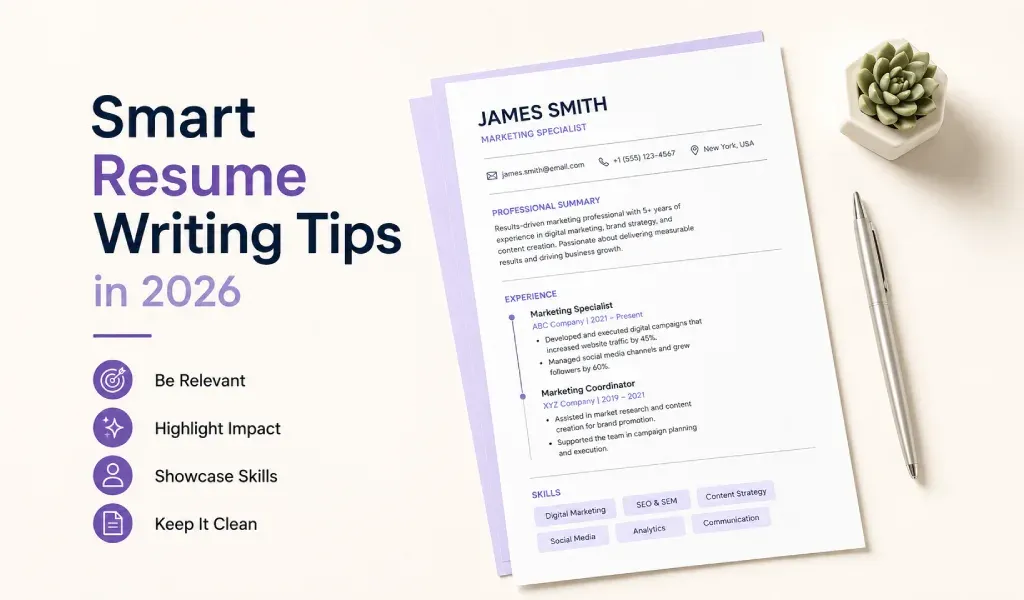
Before you apply, check 25 things in five groups: format, header and headings, content, tailoring and software readability, and proofreading. Most are quick fixes. This checklist merges guidance from the career centers at Towson, Ohio State, Tennessee and UNC, and ends with a version you can copy and paste.
Key Takeaways
- Run the checks in order: format first, proofreading last.
- Career centers agree on the basics: one page, 10 to 12 point type, consistent formatting, results-focused bullets and no first-person words.
- Tailor the resume to the job post and keep the layout plain so software can read it.
- Read it aloud and ask a second reader to check it before you send it.
- Save a PDF with a clear file name unless the posting asks for another format.
What Should You Check Before You Send a Resume?
We merged and condensed the checklists from Towson University's Career Center, the Ohio State University Career Resource Guide and the University of Tennessee, Knoxville, and added software-readability notes from UNC's resume guide. The lists overlap heavily, so the basics are well agreed. Each group below has five checks and a two-minute fix. If a check fails, see our list of common resume mistakes for before-and-after examples.
Group 1: Is the Format Clean?
- Length. One page, or two only with substantial relevant experience. Towson says a second page should be half full and carry your name and page number.
- Margins. Between half an inch and one inch, according to Towson and Tennessee.
- Type. An easy-to-read font at 10 to 12 point (Towson, Tennessee and UNC).
- Consistency. The same formatting and even spacing throughout, with a good balance of white space and text (Towson).
- Structure. No graphics, tables, columns or text boxes, and nothing important in a header or footer, because these can interfere with applicant tracking systems (UNC).
Two-minute fix: select everything, set one font and size, then check the margins in page setup. See what makes a resume look professional for more.
Group 2: Are the Header and Headings Right?
- Name. At the top, bold and larger than the body text. Towson suggests 18 point.
- Contact details. A phone number and professional email that you check. Add a LinkedIn URL only if the profile is complete (Tennessee).
- Location. On public job boards, list only city and state (Towson).
- Headings. Standard section titles such as Education, Experience and Skills. UNC suggests bold headings. See the most important resume sections for what to include.
- References. No "references available upon request" line. Keep references on a separate page (Towson).
Two-minute fix: email the file to yourself and call your own number to confirm both work.
Group 3: Does the Content Show Results?
- Order. Reverse chronological order (Towson).
- Entries. Each role lists the title, employer, city and state, and dates by month and year (Towson).
- Accomplishments. Bullets show accomplishments, not routine duties (Towson).
- Verbs. Each bullet starts with an action verb (Towson).
- Results. Numbers or outcomes where you can support them (Towson).
Two-minute fix: find every bullet that starts with "Responsible for" and rewrite it as an action plus a result. If dates leave a gap, see how to explain career gaps.
Want a starting layout? Cover Letter AI & Resume Maker has several resume templates and fonts for iPhone and iPad. Enter your own details and export a PDF.
Group 4: Is It Tailored and Readable by Software?
- Tailoring. Customized for this job, with the most relevant experience and skills first (Ohio State).
- Keywords. Terms from the job description appear naturally, where they are true for you (Ohio State). Do not stuff them.
- Skills. Relevant to the target position, with proficiency levels where they help (Towson).
- Font and structure. A standard font and simple structure. UNC lists Arial, Calibri and Times New Roman as ATS-compatible.
- File type. It matches the posting. For applicant tracking systems, UNC suggests a .docx or a simple PDF. Our guide to an ATS-friendly resume has the rules.
Two-minute fix: highlight the five most repeated terms in the posting and check that each true one appears in your resume.
Group 5: Is It Proofread and Ready to Send?
- Errors. No spelling, punctuation, grammar or capitalization errors (Towson).
- Tense. Present tense for a current job and past tense for past jobs (Towson).
- Voice. No first-person words (Towson).
- Review. Read it aloud, and have someone else review it. Ohio State's checklist includes a second reviewer.
- File. Saved as a PDF with a clear name, such as Last_First_Resume.pdf (UNC).
Two-minute fix: run spell check, then read each date, name and number against your records.
What Is the Copy-and-Paste Version?
Paste this into your notes and tick each line before you apply.
FORMAT
[ ] One page (two only with substantial experience)
[ ] Margins between 0.5 and 1 inch
[ ] Body text 10 to 12 point in an easy-to-read font
[ ] Consistent formatting and spacing
[ ] No graphics, tables, columns or text boxes

HEADER AND HEADINGS
[ ] Name bold and larger than body text
[ ] Working phone and professional email
[ ] City and state only on public job boards
[ ] Standard headings (Education, Experience, Skills)
[ ] No "references available upon request" line

CONTENT
[ ] Reverse chronological order
[ ] Title, employer, location and month/year dates for each role
[ ] Accomplishments, not routine duties
[ ] Action verb at the start of each bullet
[ ] Numbers or results where I can support them

TAILORING AND SOFTWARE
[ ] Customized for this job
[ ] Keywords from the post, used naturally
[ ] Relevant skills only
[ ] Standard font and simple structure
[ ] File type matches the posting

PROOFREADING AND SENDING
[ ] No spelling, grammar or capitalization errors
[ ] Verb tenses correct
[ ] No first-person words
[ ] Read aloud and reviewed by someone else
[ ] Saved as a PDF with a clear file name
Not sure about length? Our guide on resume length explains when one page is enough.
Related Reading
- 15 Common Resume Mistakes to Avoid (and How to Fix Them): 15 mistakes with before-and-after fixes.
- What Is an ATS-Friendly Resume? Rules and Examples: plain layouts that software can read.
- Most Important Resume Sections in a Professional Resume: which sections to include and where.
- Should a Resume Be One Page? Here's the Real Answer: when one page is enough and when it is not.
Sources: Towson University Career Center, "Resume Checklist"; Ohio State University Career Resource Guide, "Resume Checklist"; University of Tennessee, Knoxville, "Resume Writing Checklist"; UNC Student Affairs Career Center, "UNC Resume Guide for Students".
Ready to build yours? Cover Letter AI & Resume Maker turns the details you enter into a resume draft you can edit and export. Free to download from the App Store for iPhone and iPad, with in-app purchases for some features. AI drafts can contain mistakes, so read and edit every line before you send it.
Frequently Asked Questions
What should I check before sending a resume? Check format, header, content, tailoring and proofreading, in that order. The essentials are one page, consistent formatting, bullets that show results, wording tailored to the job, no errors and a PDF with a clear file name. The 25-point checklist above covers each one.
How do I proofread a resume? Read it aloud, check every date, title and company name against your records, and have someone else review it, as Ohio State's checklist advises. Spell check misses correctly spelled wrong words, such as "lead" for "led," so read each line slowly.
Should I save my resume as a PDF? Usually, yes. Ohio State's checklist advises a PDF, and UNC's guide suggests naming it Last_First_Resume.pdf. For applicant tracking systems, UNC suggests a .docx or a simple PDF. If the posting asks for a particular format, follow the posting.
How often should I update my resume? Review it whenever you finish a project, change roles or start applying, and tailor a copy for each job. Adding results while they are fresh is easier than reconstructing them later. A short update every few months keeps your record current.