 Cover Letter AI & Resume Maker
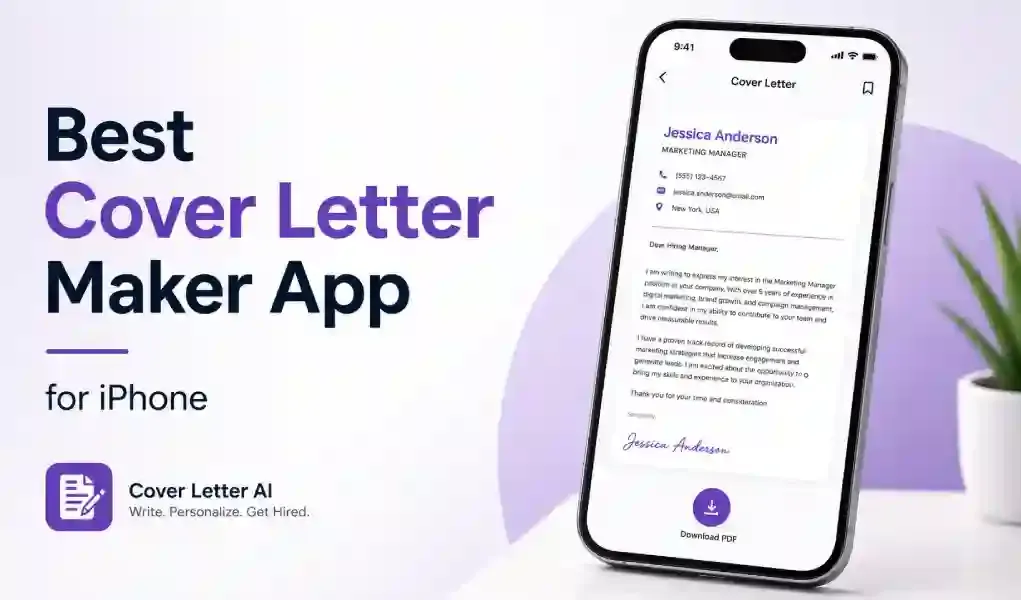
The best cover letter app for iPhone is the one that lets you enter a job's details, edit the draft freely, export a PDF, and see its subscription terms and privacy information before you pay. Use the checklist below to compare apps, then follow the five-step workflow to write and send a letter from your phone.
We make Cover Letter AI & Resume Maker, an iPhone and iPad app, so we have an interest here. The checklist works for any app, ours included. For tools that work across devices, see our best AI cover letter generator apps comparison, and for resumes, see the CV maker apps guide.
Key Takeaways
- Check six things before you install: job input, reusable details, editing, PDF export, subscription terms and privacy.
- Read the privacy section on the App Store page and the subscription terms before you enter personal details.
- Treat any AI draft as a rough draft, and check every name, date and claim.
- Export a PDF and open it before you send it.
- Our app works on iPhone and iPad only, and other options exist for Android and the web.
What Should You Look For in a Cover Letter App for iPhone?
| What to check | Why it matters | What to look for |
|---|---|---|
| Job input | A draft built from the real posting is easier to tailor | A place to enter the role, company and key requirements |
| Reusable details | Saves retyping for every application | Your skills and experience kept for the next letter |
| Full editing | AI drafts need fixes | You can edit every line, not only regenerate |
| PDF export and sharing | Employers often ask for a PDF | Export to PDF (and Word if asked), then send from your phone |
| Subscription terms | Avoids surprise charges | Prices, trial length, renewal and how to cancel, shown before you pay |
| Privacy of AI processing | Your letter holds personal details | The privacy section on the App Store page and the developer's privacy policy |
Apple's support page explains that each App Store product page has a privacy information section, that developers fill it in themselves, and that the developer's privacy policy may give more detail. Read both before you hand over your information.
Disclosure: we make Cover Letter AI & Resume Maker, an iPhone and iPad app that is mentioned in this post, so weigh our advice with that in mind. Confirm current prices and terms on each app's own page before you subscribe.
How Do You Write and Send a Cover Letter From Your iPhone?
- Save the job post. Copy the text into Notes or take a screenshot. Underline the three or four requirements that matter most.
- Enter your details. Give the app the role, the company, your key skills and the tone you want. Use real facts only.
- Generate a first draft. Treat it as a rough outline. Our guide to how to write a cover letter shows what each paragraph should do.
- Edit and check. Replace generic lines with one specific example, check every name, date and number, and compare the layout with the cover letter format guide.
- Export and send. Export a PDF. In Pages, for example, tap the More button, tap Export, choose PDF, then pick how to send or save it. If an application portal rejects the file, see our guide to PDF upload problems.
Where Does Our App Fit?
Cover Letter AI & Resume Maker follows this workflow: you enter the role, company, tone and key skills, it writes a first draft, and you edit it and export a PDF or Word file. It is free to download, with in-app purchases for some features, and it runs on iPhone and iPad only. Check its App Store listing the same way you would check any other app.
Is There a Cover Letter App for Android or the Web?
Our app is for iPhone and iPad only. On Android or a laptop, you can write the letter in a document editor, use a web-based builder or use an AI assistant, and apply the same checklist. Our best AI cover letter generator apps post compares options beyond iPhone.
What Should You Check Before You Subscribe?
- Find the in-app purchases on the App Store page and read the prices and terms before you buy.
- Find out whether a trial renews automatically and how to cancel.
- Test with a free draft first, if the app offers one.
- Keep a copy of every final PDF outside the app.
- Leave out details a cover letter doesn't need, such as ID or bank numbers.
Related Reading
- Best AI Cover Letter Generator Apps in 2026 (Compared): a comparison of tools that work across devices.
- Best CV Maker Apps in 2026: How to Choose and Compare: how to choose a CV or resume builder.
- How to Write a Cover Letter That Gets Noticed (Step-by-Step): what each paragraph of the letter should do.
- Why Won't My PDF Upload? Common Causes and Quick Fixes: fixes when an application portal rejects your file.
Sources: Apple Support, "Export to Word, PDF, or another file format" (Pages for iPhone); Apple Support, "About privacy information on the App Store and the choices you have to control your data".
We include our own app, Cover Letter AI & Resume Maker, as one option to weigh on the same points as the others. Confirm current prices and terms on each app's own page first. Free to download from the App Store for iPhone and iPad, with in-app purchases for some features. AI drafts can contain mistakes, so read and edit every line before you send it.
Frequently Asked Questions
Can I write a cover letter on my iPhone? Yes. You can type one in a document app or use a cover letter app that drafts it from your details. Edit the draft, check names and dates, then export a PDF. In Pages, tap the More button, tap Export and choose PDF.
Are there free cover letter apps for iPhone? Some are free to download, but many limit features or sell subscriptions or in-app purchases. Check the App Store listing for in-app purchases and read the terms before you pay. You can also write a letter by hand in a document app.
How do I save a cover letter as a PDF on iPhone? In Pages, open the document, tap the More button, tap Export and choose PDF, then pick how to send or save the file. Many cover letter apps have their own export or share button, so check the app's menu.
Are AI cover letter apps safe for my personal data? It depends on the app. App Store product pages include a privacy section that developers fill in themselves, and the developer's privacy policy may add detail. Read both, and enter only what a cover letter needs, such as your name and contact details.
Is there a cover letter app for Android? Our app is for iPhone and iPad only. On Android, you can write the letter in a document editor or use a web-based or cross-platform tool. Our comparison of best AI cover letter generator apps covers options beyond iPhone.