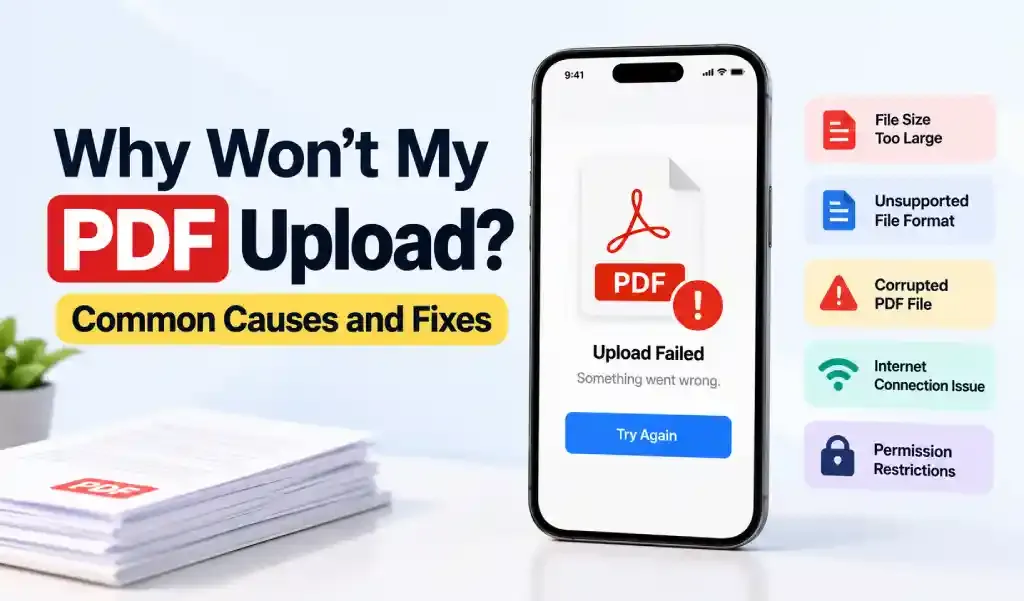
A PDF usually fails to upload for one of seven reasons: it's too large for the site's limit, it never actually finished converting from an image into a real PDF, the file itself is corrupted or incomplete, it's still sitting in iCloud instead of fully downloaded to your phone, it's password-protected, your connection dropped mid-upload, or the website is just having a bad day. Most of the time you can tell which one it is in under a minute once you know what to check.
Here's how to work through it.
The File Is Too Large for the Upload Limit
This is the most common one. Job portals, government forms, and HR systems often cap uploads somewhere between 5MB and 25MB, and a scanned document, especially several pages scanned as color photos, can blow past that without looking unusually big on your phone.
How to tell: the upload bar stalls partway, spins indefinitely, or the site shows an explicit "file too large" error.
Fix: check the file size in the Files app (tap the file, then the "i" info button), compare it against whatever limit the site states near the upload button, and compress the PDF if needed. Reducing the file size without losing readability usually solves this in one pass.
The File Never Actually Became a PDF
This one is easy to miss because the file can look right at a glance. You scan a document or pick a photo, tap share, and assume what gets attached is a PDF. Sometimes what actually goes through is the original image, or a HEIC file, with a thumbnail close enough to a document that nothing seems wrong until the upload gets rejected.
How to tell: open the file in the Files app, tap and hold it, then tap "Info," and check the file extension at the end of the name. If it reads .heic or .jpg instead of .pdf, that's the whole problem right there.
Fix: convert it properly before uploading instead of trusting whatever the share sheet grabbed by default. This catches people on iPhone more than anywhere else, since HEIC is the default format for anything the camera takes, and a fair number of "PDFs" people try to upload never actually left that format to begin with.
The Conversion Got Interrupted
A PDF can look completely normal as an icon and still be broken inside. This usually happens when the export or save got cut off partway: the app closed mid-process, an AirDrop transfer dropped, or a download finished only partially over a weak connection.
How to tell: the file won't open at all, or opens blank, in Preview, Files, or another PDF reader.
Fix: don't try to repair it. Regenerate the PDF from the original source instead, whether that's the Word document, the photos, or a fresh scan.
The PDF Is Still Syncing from iCloud
This one catches people off guard. If "Optimize iPhone Storage" is turned on, files you haven't opened recently are often kept in iCloud with only a placeholder on your phone. When a website's upload button asks you to pick that file, it can grab the placeholder before the real file finishes downloading, especially on a slow connection, and the upload fails or hangs with no clear error.
Fix: open the file in the Files app first. If you see a small cloud icon next to it, tap it and wait for it to fully download before trying the upload again.
The PDF Is Password-Protected
Plenty of upload systems, particularly government, banking, and HR portals, either reject encrypted PDFs outright or accept the file but fail to process it, since the automated system behind the form often can't read a locked file.
Fix: check whether the site actually requires an unprotected file (most application forms do), and remove the password first if it isn't needed for that specific upload.
Your Connection Dropped Mid-Upload
Uploading a file on mobile is more fragile than it looks. Switching from WiFi to cellular mid-upload, locking your phone, or backgrounding the browser can all interrupt the transfer without any clear error message, just a failed or frozen upload.
Fix: stay on one connection for the whole upload, keep the tab or app open and in the foreground, and if you're on weak cellular signal, switch to WiFi before trying again.
The Filename Is Tripping Up the Form
Older or poorly built upload forms sometimes choke on filenames with special characters, emoji, extra-long names, or stray spaces.
Fix: rename the file to something simple first — letters, numbers, hyphens, or underscores only.
The Website Itself Is the Problem
Not every failed upload is on your end. Server timeouts, maintenance windows, and bugs in a site's upload widget happen more often than people assume.
Fix: try a different browser, wait a few minutes and retry, or test the same file on another device. If it still won't go through anywhere, the file is fine and the site is the issue.
Quick Reference
| What You're Seeing | Likely Cause | Fix |
|---|---|---|
| Upload stalls or times out partway | File too large | Compress the PDF |
| Rejected immediately, file "looks" fine | Still an image/HEIC, not a real PDF | Check the file extension in Files app |
| File won't open at all | Corrupted or incomplete | Regenerate from the original |
| Picker shows it but upload hangs | Still syncing from iCloud | Open it in Files first to force a download |
| Site rejects it silently or asks for a password | PDF is encrypted | Remove the password |
| Fails only on mobile data | Weak or switching connection | Stay on one connection |
| Fails everywhere, on every device | Site-side issue | Try again later or use another browser |
The Fastest Fix When You're Not Sure Which One It Is
If you've checked the obvious things and you're still stuck, it's often faster to stop diagnosing and start over. This matters most when the PDF came from a messy export, an old scan, or a print-to-PDF workaround that didn't quite work right. Regenerating it from scratch with a dedicated converter app sidesteps the guesswork: apps like PDF Converter HEIC to PDF build a fresh, standard PDF directly from your photos or documents and let you set the output size before you export, which rules out the image-not-PDF mix-up and oversized files in the same step.
Frequently Asked Questions
Why does my PDF fail to upload on one specific website but work everywhere else? That points to a site-side issue: an upload limit specific to that portal, a bug in its upload widget, or a temporary server problem, rather than anything wrong with your file.
Why does a website say my file isn't valid when it opens fine as a photo? It's likely not a PDF yet at all, just an image (often HEIC) that looks like a document in your gallery or Files app. Check the file extension and convert it properly if it hasn't actually been turned into a .pdf.
Why does my PDF say it's corrupted when it opens fine on my phone? Different apps and systems read PDFs with varying strictness. A file can open in Apple's Preview or Files app, which are forgiving, while a stricter upload system flags the same file as damaged because part of its internal structure is incomplete.
How do I check if my PDF is too large before uploading it? Open the Files app, tap and hold the file, select "Info," and check the size listed there against the upload limit stated on the website, which is often in small text near the upload button.
Can a password-protected PDF cause an upload to fail? Yes. Many automated upload systems can't process an encrypted file, even if the site doesn't say so directly. Remove the password before uploading unless the form specifically asks for a protected file.
Why does my PDF upload on WiFi but not on mobile data, or the other way around? This almost always comes down to connection stability rather than the file itself. A slower or less consistent connection is more likely to drop mid-upload, especially for larger files.
Final Thoughts
A failed PDF upload almost always comes down to one of seven things: size, a file that never actually finished becoming a PDF, a broken conversion, an iCloud file that hasn't finished downloading, a password, a dropped connection, or the website itself. Work through them in that order and you'll usually find the cause within a couple of minutes.
If you've ruled all of those out and it's still not working, that's a site problem, not something to keep troubleshooting on your end.