 Cover Letter AI & Resume Maker
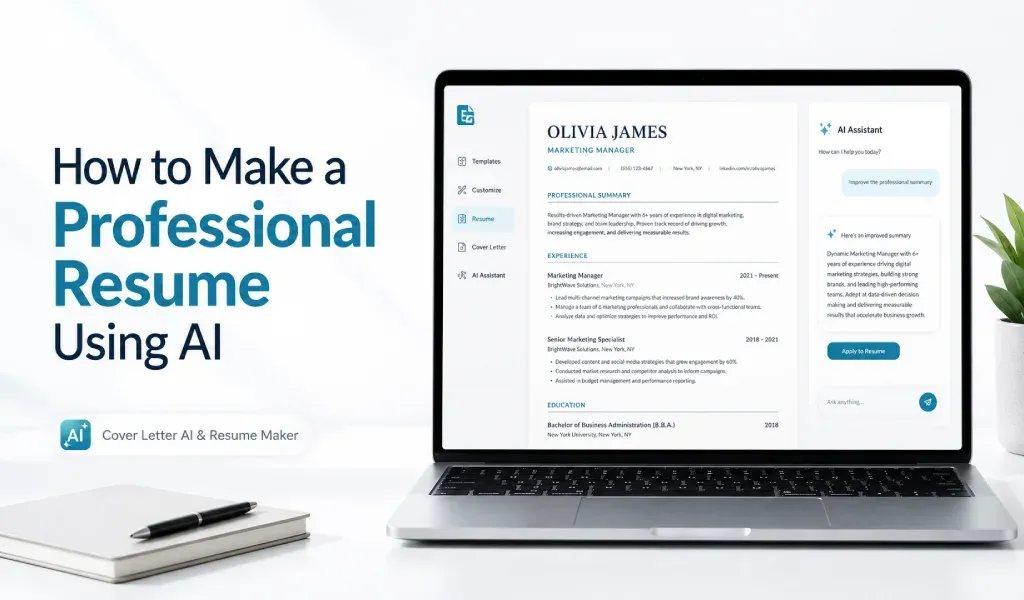
To make a resume with AI, collect your real job history first, pick a simple one-column template, let the AI draft a summary and bullets from your facts, then edit and fact-check everything before you export. The AI handles wording and layout. You handle accuracy.
The whole process takes six steps. It works the same whether you use a resume builder app, a website or a chat tool. The only thing that changes is where you type your facts.
Key Takeaways
- Gather your facts before you open any tool.
- Choose a plain one-column template with standard headings.
- Give the AI real details and edit what it returns.
- Check every date, title and number, then export.
- Treat the result as a first draft, not a finished resume.
What Should You Prepare Before You Start?
AI can't remember your job history, so have it ready. Put these in one document:
- Contact details: name, email, phone and city
- Each job: employer, title, and start and end dates (month and year)
- Two to four things you did in each job, with numbers only where you can verify them
- Education, certifications and licenses
- Skills and tools you actually use
- The job post you're applying for, if you have one
As a rough estimate, gathering this takes 20 to 30 minutes if you have an old resume to copy from. If your details live on LinkedIn, our guide to how to turn a LinkedIn profile into a resume shows how to pull them out.
Step 1: Choose a Template That Works for People and Software
Pick a simple layout before you generate any text. A good default is a single column with standard headings: Summary, Experience, Education and Skills. Career centers that advise on applicant tracking systems, such as Ohio Northern University's, recommend a single-column, left-aligned layout with no tables, columns or text boxes, in a plain font at 11 to 12 points.
Fancy templates look nice, but software can scramble them. Our post on the ATS-friendly resume explains which design choices cause trouble.
Step 2: Enter Your Facts and Let the AI Draft
Now give the tool your information. In a form-based resume builder, fill in each field. In a chat tool, paste your facts and use a prompt like this:
Prompt: Using only the details below, write a three-line professional summary and three bullets for each job. Do not add numbers, tools, titles or dates I haven't given you. If something is missing, ask me.
Be careful what you enter into any AI tool. Skip ID numbers, passport details and anything you wouldn't put on a public resume. Read the tool's privacy policy to see how it stores and uses what you type. You can add sensitive details to the final file yourself.
Not sure whether to use a builder or a chat tool? Our comparison of AI resume builder vs ChatGPT lays out the trade-offs.
Step 3: Edit the Summary and the Bullets
The first draft is a starting point. Edit it so every line is specific and true. Here is a typical change, with made-up details:
| Version | Text |
|---|---|
| AI draft | Responsible for managing social media accounts. |
| Edited | Posted three times a week on the company's Instagram and Facebook pages and answered customer comments within a day. |
The edit swaps a duty for an action, and it adds a detail only you could know. For the top of the page, our guide on how to write a resume summary has formulas and 10 examples.
AI can speed up a first draft, but it can also invent details. If you use Cover Letter AI & Resume Maker, check every date, title and number against your real record.
Step 4: Check Every Fact
Compare each date, employer, title and number with your own records. Delete anything you can't back up, even if it sounds impressive. Ask yourself whether you could explain each bullet in an interview. If not, rewrite it or cut it.
Loyola's Rizzo Career Center notes that AI can overstate your abilities or invent skills you don't have, which can cause problems in interviews or on the job. A few minutes here protects you from that.
Step 5: Check the Layout
Open the file and scroll through it. Is it one column? Are the headings standard? Does anything look pushed out of place? If you copy the text into a plain document and the order comes out jumbled, the layout is too complicated. Simplify it before you send.
Step 6: Export the File the Employer Asks For
Use the file type named in the job post. If it doesn't say, a PDF or a Word file are both common choices, as long as the file contains real text rather than a scanned image. Name it something clear, such as FirstName-LastName-Resume. Keep a copy of every version you send, so you know what each employer saw.
Related Reading
- AI Resume Builder vs ChatGPT: Which Is Better for Resumes?: choose between a builder and a chat tool.
- What Is an ATS-Friendly Resume? Rules and Examples: layout rules that keep a resume readable.
- How to Turn a LinkedIn Profile Into a Resume (Step-by-Step): pull your details out of LinkedIn.
- How to Write a Strong Resume Summary (With 10 Examples): write the top of the page.
Sources: Ohio Northern University Student Success Center, "A Guide to Adapting Your Resume for the Applicant Tracking System (ATS)"; Loyola University Maryland Rizzo Career Center, "Using ChatGPT and AI in the Career Development Process".
Want AI to handle the first pass? Cover Letter AI & Resume Maker writes cover letters from the details you enter and builds resumes from templates. You stay responsible for the facts. Free to download from the App Store for iPhone and iPad, with in-app purchases for some features. AI drafts can contain mistakes, so read and edit every line before you send it.
Frequently Asked Questions
Can AI make a resume for me? It can draft one, but only from the facts you give it. Provide your real jobs, dates and results, then edit the output. Treat anything the AI adds on its own, such as a number or a tool, as unverified until you confirm it.
Are AI-made resumes ATS-friendly? That depends on the template and the file, not on who wrote the words. Choose a simple one-column layout with standard headings and no tables or text boxes. No tool can promise how every applicant tracking system will read your file.
How long does it take to make a resume with AI? As a rough estimate, 30 to 60 minutes the first time: gathering facts, generating a draft, then editing and checking. It's quicker if you start from an old resume or LinkedIn profile. Editing takes the longest and matters most.
Do I have to pay to make a resume with AI? Not always. Some tools offer a free tier with limits, and others charge for exports or extra features. Cover Letter AI & Resume Maker is free to download, with in-app purchases for some features. Check what's free before you spend time entering your details.
Is it safe to enter my personal details into an AI resume maker? Be selective. Skip ID numbers, passport details and anything you wouldn't put on a public resume. Read the tool's privacy policy to see how it stores and uses your data, and add sensitive details only to the final document.